

Sanitation Alerts
Alerts allow you to monitor your farm data automatically. Instead of reviewing every report manually, the system will notify you when specific critical conditions are met (such as a very high pest count or a pH average out of range).
How do Alerts work?
Section titled “How do Alerts work?”Alerts in the Sanitation module are linked to a Sanitation Form. This means the alert will watch the data collected through that specific form.
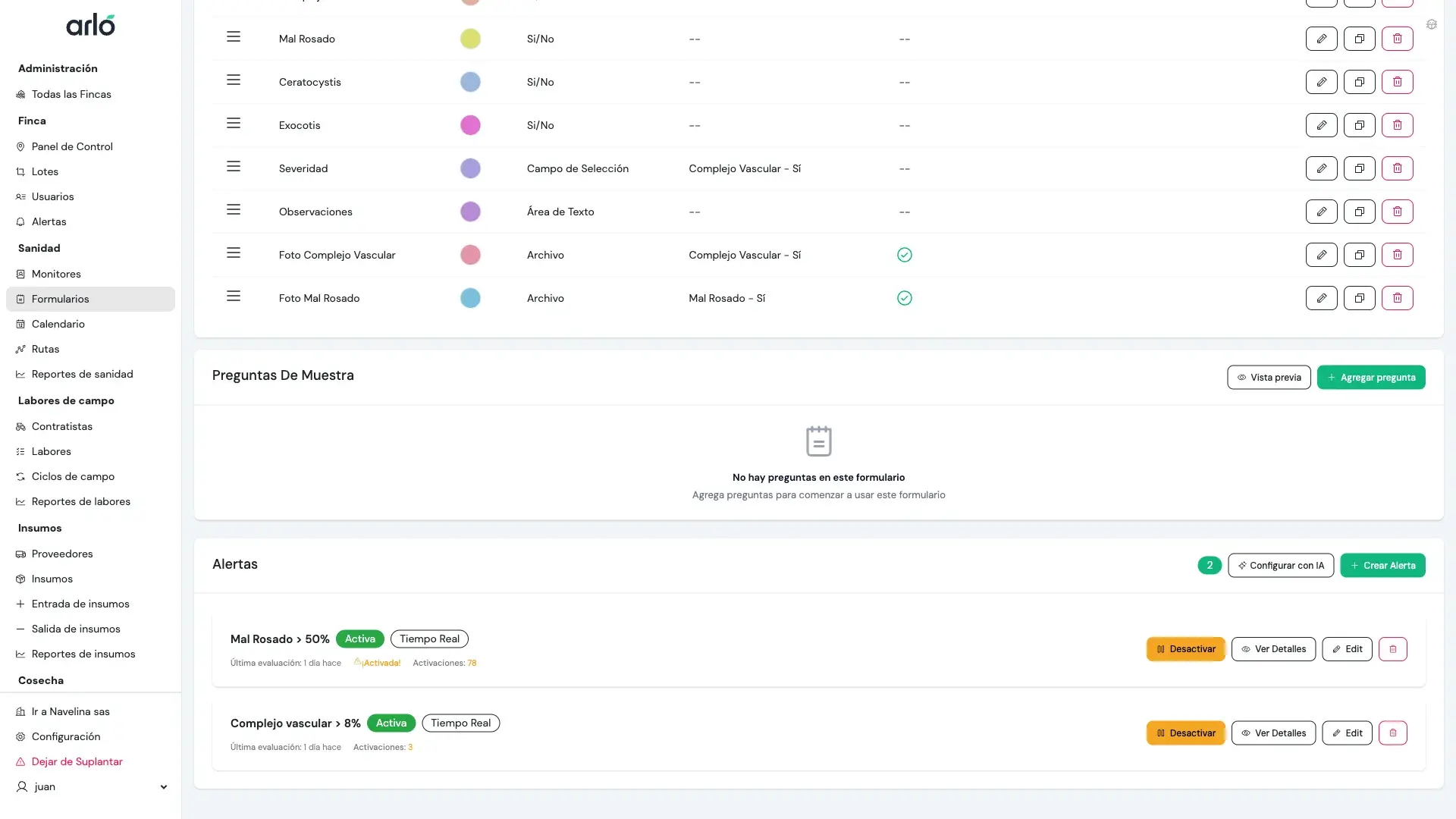
In the form view, the Alerts section displays all configured alerts with their status (Active/Inactive), evaluation mode (Real-time), last evaluation, and the number of times it has been triggered.
Evaluation Modes
Section titled “Evaluation Modes”You can choose when you want the system to check the conditions:
- Real-time: Evaluated immediately after a monitor uploads a route from the field. Ideal for detecting issues that require immediate action.
- Daily: Evaluated once a day, analyzing the aggregate of all routes performed in the last 24 hours.
- Weekly: Evaluated once a week, analyzing trends over the last 7 days.
Configuration of Conditions
Section titled “Configuration of Conditions”To set up an alert, you must define a Condition. A condition consists of:
1. Custom Field
Section titled “1. Custom Field”Choose which data you want to watch (e.g., “Mite Count”, “pH”, “Anthracnose Presence?“).
2. Aggregation Method
Section titled “2. Aggregation Method”How you want the system to summarize the data from the route or period:
- Average: The mean value (e.g., Average mites per leaf).
- Sum: The cumulative total (e.g., Total outbreaks found).
- Max / Min: The highest or lowest recorded value.
- Count: How many times the data was recorded.
3. Operator and Threshold Value
Section titled “3. Operator and Threshold Value”The mathematical rule that triggers the alert:
- Greater than / Less than: e.g., “Mite average greater than 5”.
- Between: e.g., “pH between 5.5 and 7.0”.
- Equal to: e.g., “Pest presence equal to Yes”.
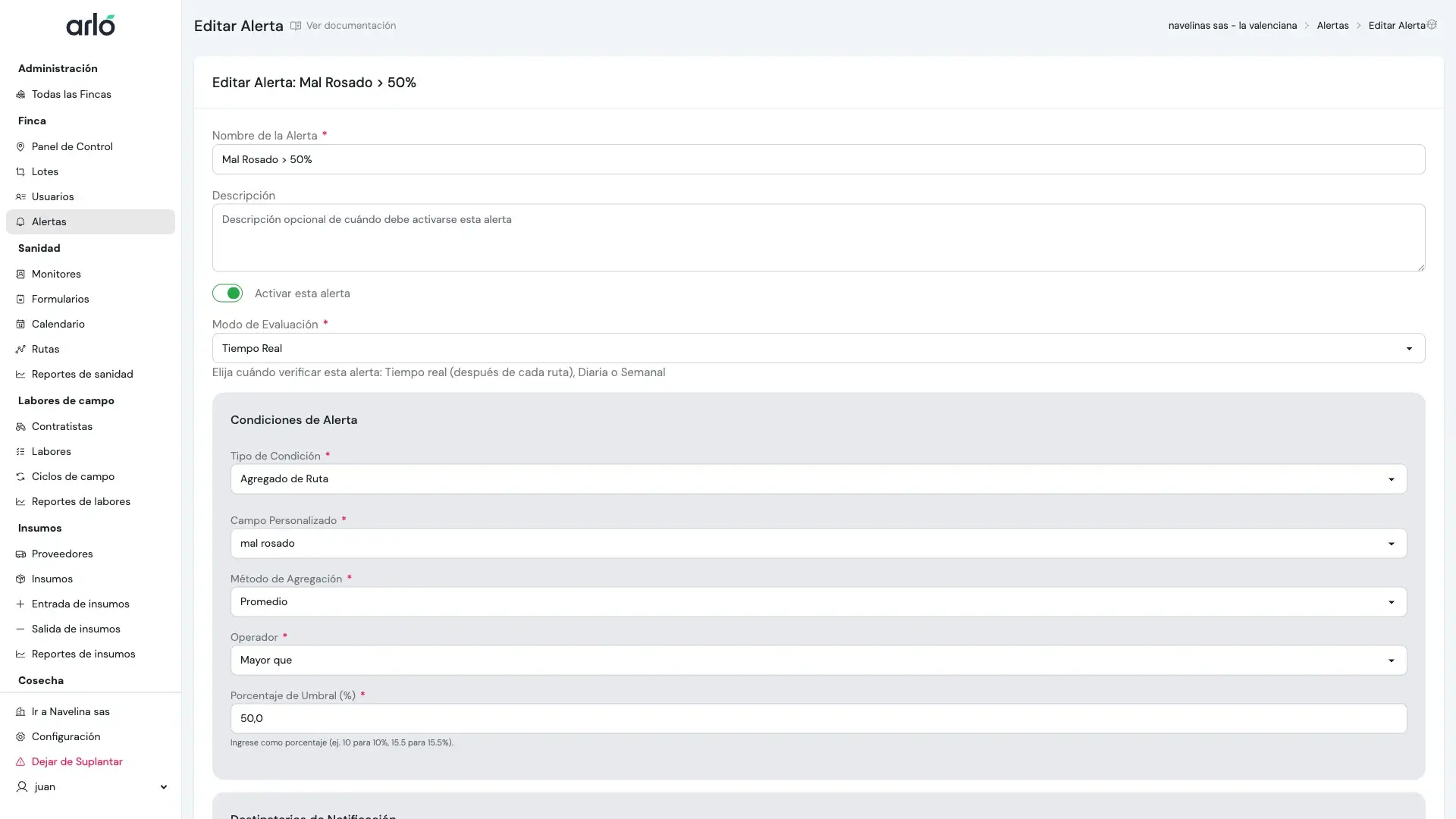
The configuration form allows you to select the custom field to monitor, the aggregation method (Average, Sum, etc.), the comparison operator, and the threshold value that triggers the alert.
Compatibility by Field Type
Section titled “Compatibility by Field Type”Not all fields can be used for alerts in the same way:
| Field Type | Available Methods | Example Usage |
|---|---|---|
| Number | All (Average, Sum, etc.) | Alert if larva count exceeds 10. |
| Checkbox | Average (Incidence percentage) | Alert if more than 20% of trees have pests. |
| Select / Radio | Count, Average | Alert if a specific option (e.g., “Critical Level”) appears frequently. |
| Text / Photo | Not compatible | These fields are descriptive and cannot be averaged. |
Notifications and Recipients
Section titled “Notifications and Recipients”When an alert is triggered, the system sends notifications in two ways:
- Email: A detailed message with the data that triggered the alert.
- In-App: A visual notification within the Arlo dashboard.
Who receives the alert?
Section titled “Who receives the alert?”- Specific Recipients: You can choose individual farm users to receive the alert.
- Global Recipients: If the farm has “Global Recipients” configured (e.g., the General Manager), they will also receive the notification if you enable this option.
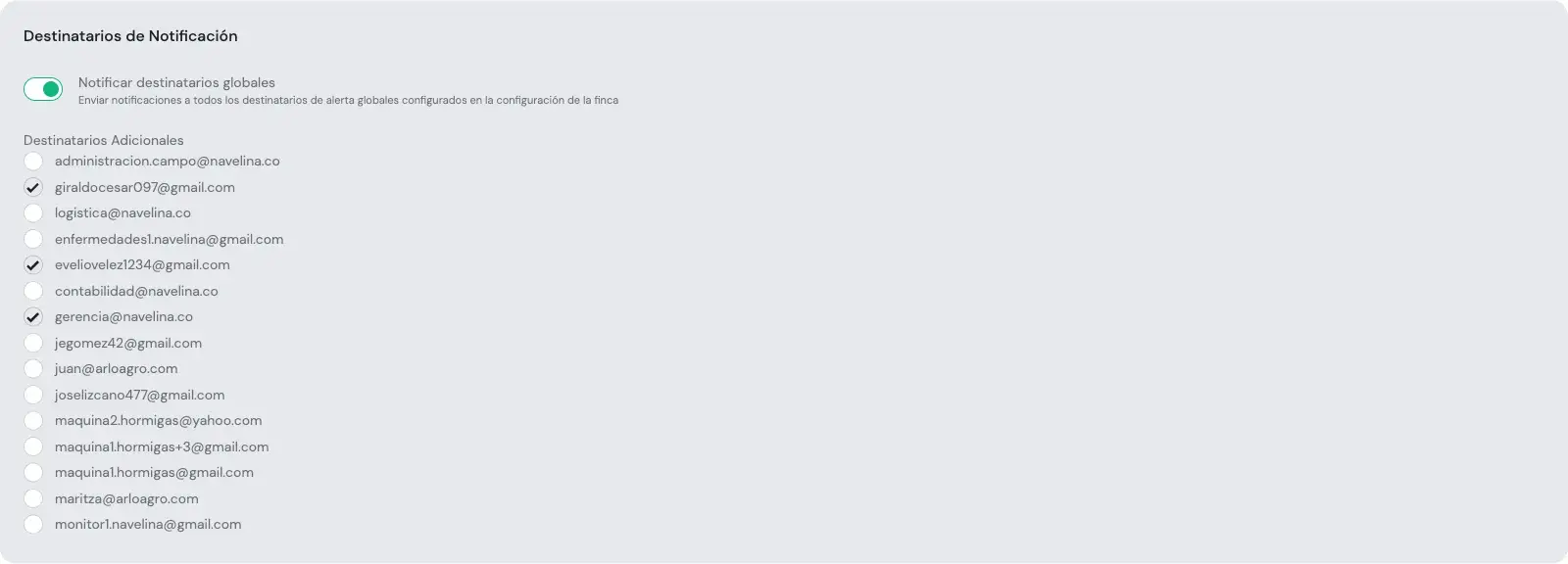
The Notification Recipients section allows you to enable notifications to global recipients and select specific farm users who will receive the alerts via email.