

Build Forms with AI
The AI Assistant helps you create sanitation inspection forms without designing them from scratch. Describe what you need to monitor and the AI will generate a complete form with fields, alerts, and optimized structure.
Why Use the AI Assistant?
Section titled “Why Use the AI Assistant?”Creating a good inspection form requires knowledge about:
- Relevant pests and diseases for your crop
- Appropriate sampling methods
- Standard evaluation scales
- Recommended action thresholds
The AI assistant:
- Knows common pests of different crops
- Suggests structures based on best practices
- Includes thresholds according to industry standards
- Generates complete fields with appropriate types
How to Use the Assistant
Section titled “How to Use the Assistant”Access the assistant
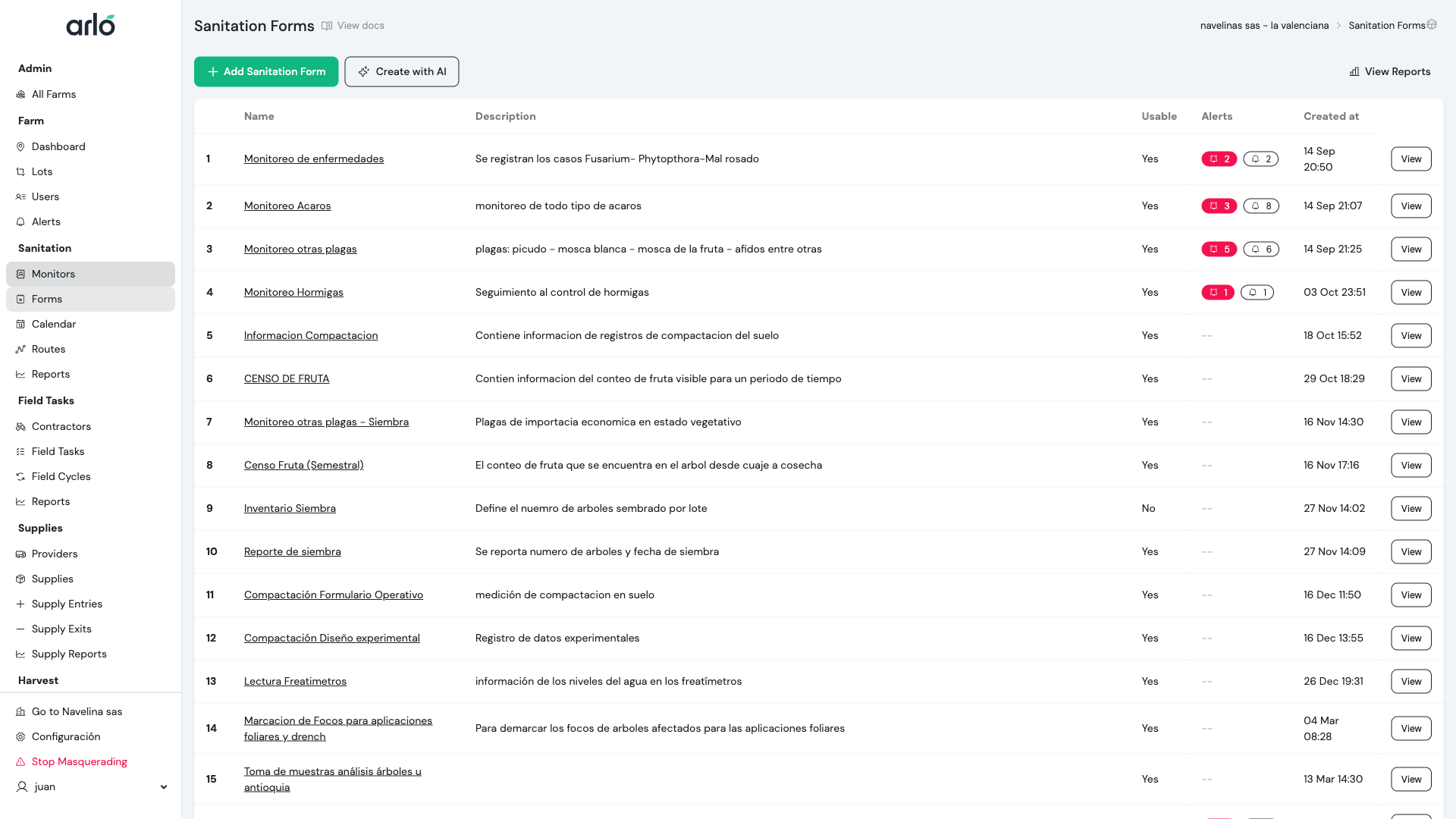
Section titled “Access the assistant”- Go to Sanitation → Forms
- Click Create with AI or AI Assistant
- The conversation panel opens
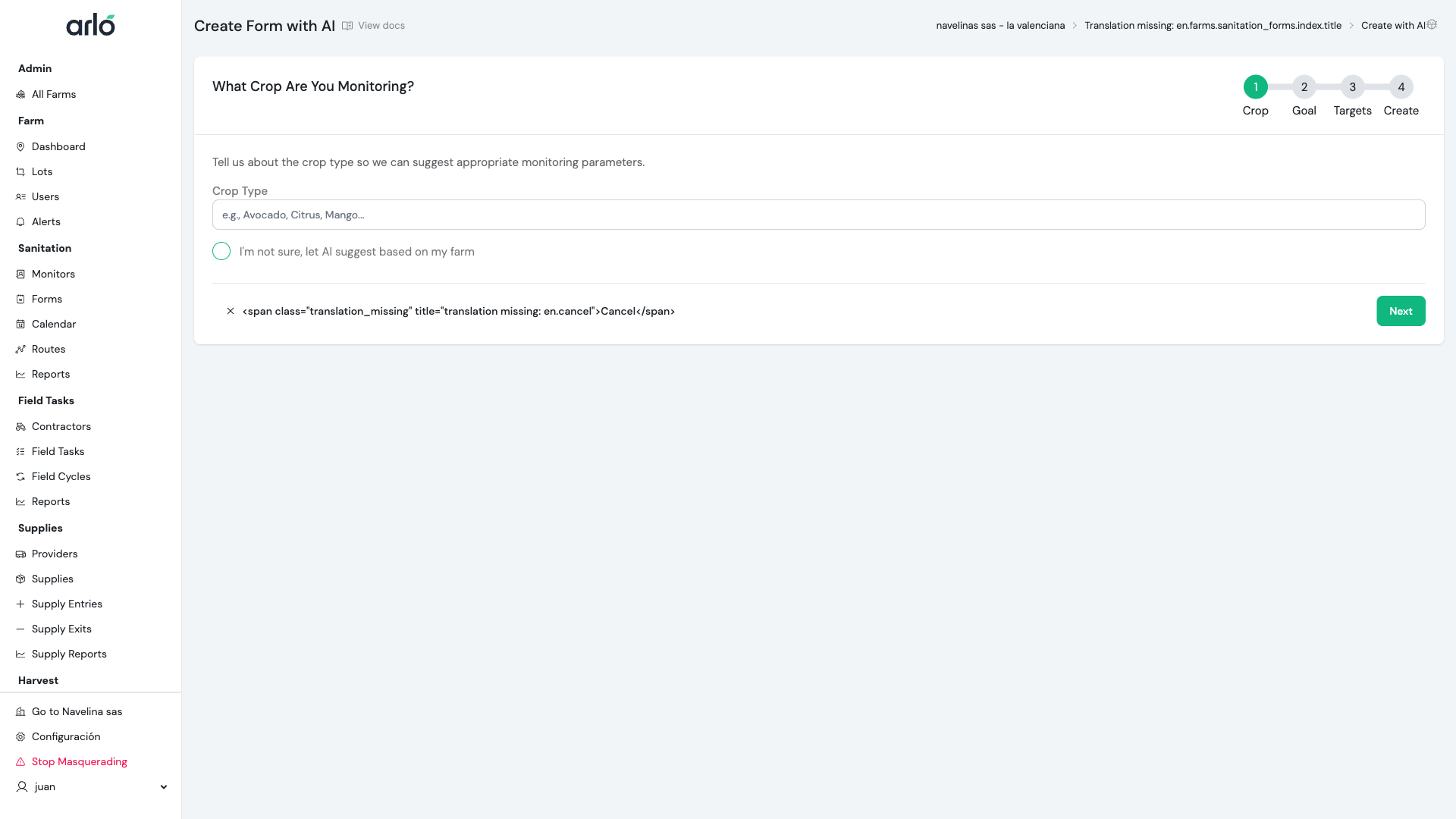
Describe your need
Section titled “Describe your need”Write a message describing:
- What crop you have
- What pests or diseases concern you
- What type of inspection you need
Examples of effective prompts
Section titled “Examples of effective prompts”Basic:
I need a form to monitor pests in citrusMore specific:
Create a form to monitor HLB, leaf miner,and mites in a Valencia orange orchard in a tropical zone.Include symptom evaluation and insect counts.Detailed:
I need a weekly inspection form for Hass avocado:- Evaluate thrips in flowers (scale 0-5)- Monitor Phytophthora in roots- Check for borers in branches- Include photo section for anomalies- Alert if thrips > 3 or there are Phytophthora signsWhat the AI Generates
Section titled “What the AI Generates”Form structure
Section titled “Form structure”The AI creates a form with:
- Descriptive name based on your request
- Route section with general fields (date, weather, etc.)
- Tree section with specific evaluations
- Custom fields appropriate for each pest
- Alerts with recommended thresholds
Field types it can generate
Section titled “Field types it can generate”| Type | Typical use |
|---|---|
| Number | Insect count, damage percentage |
| Selection | Severity level, presence/absence |
| Checkbox | Observed symptoms, previous treatments |
| Photo | Visual evidence of problems |
| Text | Notes and observations |
Review and Adjust
Section titled “Review and Adjust”The generated form is a draft
Section titled “The generated form is a draft”The AI generates a starting point you should review:
- Review fields: Do they cover what you need?
- Adjust thresholds: Are they appropriate for your situation?
- Add missing fields: AI may not include everything
- Remove unnecessary: Keep the form focused
Iterate with the AI
Section titled “Iterate with the AI”You can continue the conversation to refine:
User: Also add cochineal evaluationAI: [Generates additional fields for cochineal]
User: The leaf miner thresholds are too high for my zoneAI: [Adjusts suggested thresholds]
User: Simplify the HLB section, I only need      presence/absenceAI: [Reduces HLB fields]
Limitations
Section titled “Limitations”What the AI does well
Section titled “What the AI does well”- Suggest structures based on common crops
- Propose standard fields for known pests
- Generate thresholds based on agricultural literature
- Create coherent and organized forms
What the AI cannot do
Section titled “What the AI cannot do”- Know specific conditions of your farm
- Know pest history of your lots
- Determine economic thresholds for your operation
- Replace experienced agronomist judgment
Next Steps
Section titled “Next Steps”- Review forms guide - Understand full structure
- Configure custom fields - Adjust details
- Define alerts - Configure automatic notifications